 Spine
Egypt's first system built only for spine clinics
Spine clinics have their own problems. Now they have their own system.
A patient with a bag of films, a prescription written for the twentieth time, a surgery decision with no numbers behind it. Spine Tech was made for spine doctors, with a spine surgeon with more than 15 years of experience, so the visit, operations, stock and every clinic you work in live in one place.
- 16steps in every spine visit
- C1–S1diagnosis on every vertebra and disc
- +15years of surgical practice behind the design
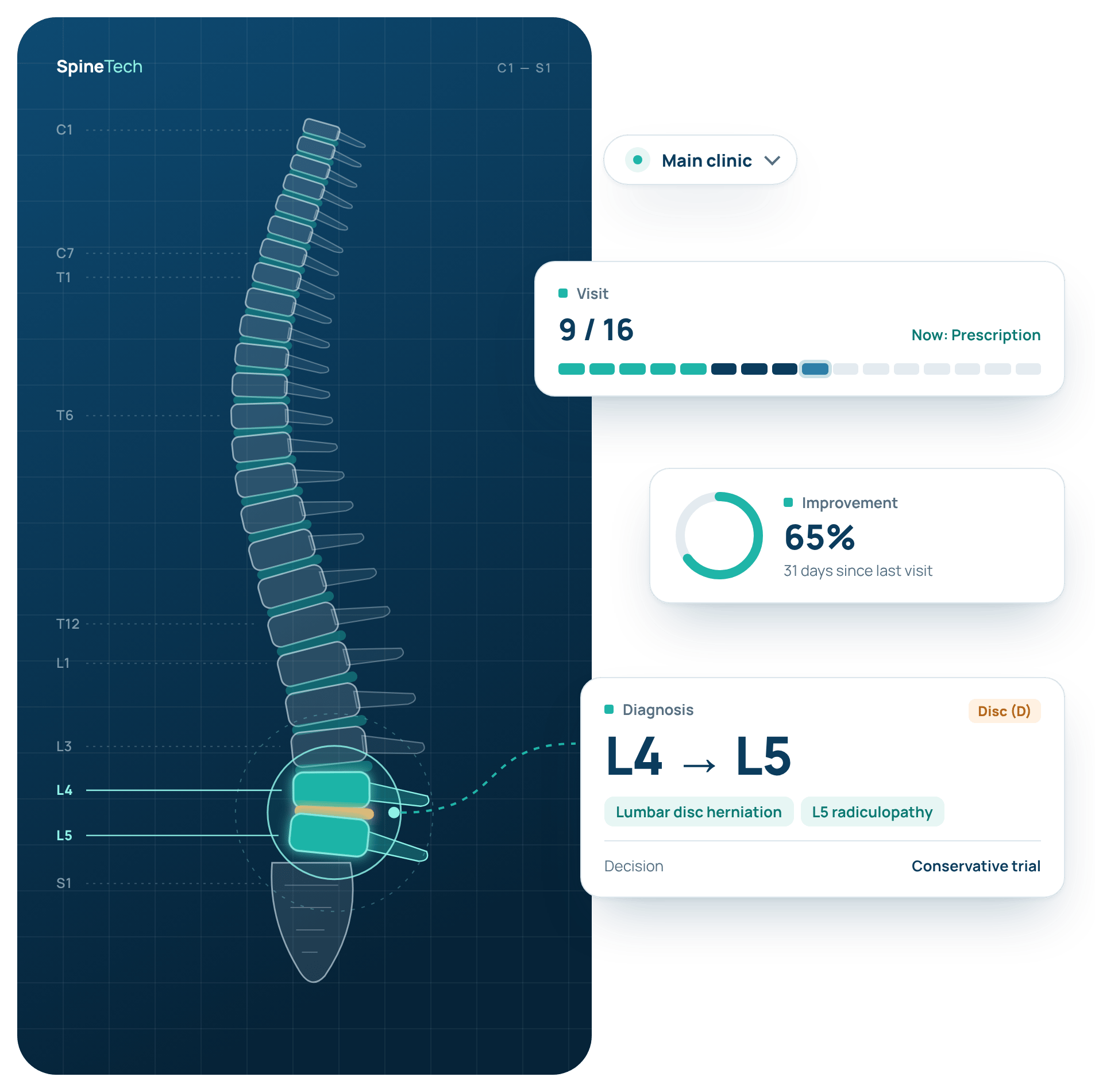
If this sounds like your clinic day, Spine Tech was made for you.
The patient arrives with a bag of films
Last year's MRI, an X-ray from another centre, photos on a phone. You hunt for a comparison while the patient waits.
The same prescription, for the twentieth time
Another disc patient: the same painkiller, the same vitamin, the same exercises, written out by hand again.
Conservative or surgery?
To decide, you need to know how much the patient improved since the last visit, and that is written down nowhere.
Instruments and stock live in one person's head
Before surgery nobody is sure the set is complete, or which clinic has the item in stock.
The core of the product: the specialist visit
The visit in the order you already think in: 16 steps from complaint to follow-up.
General clinic systems treat a spine visit like any other: one complaint box, one diagnosis box. Spine Tech splits the visit the way you actually work: take the history, examine, read the MRI, set the level, decide, treat. Each step fills from your clinic's lists in a click, so the record is done before the patient leaves the chair.
- 01Patient history
- 02Clinical examination
- 03Laboratory
- 04Imaging & MRI
- 05Other investigations
- 06Level-specific diagnosis
- 07Treatment decision
- 08Visit notes
- 09Prescription
- 10Injections
- 11Physical therapy
- 12Orthotics
- 13Exercises
- 14Instructions
- 15Medical referrals
- 16Progress & follow-up
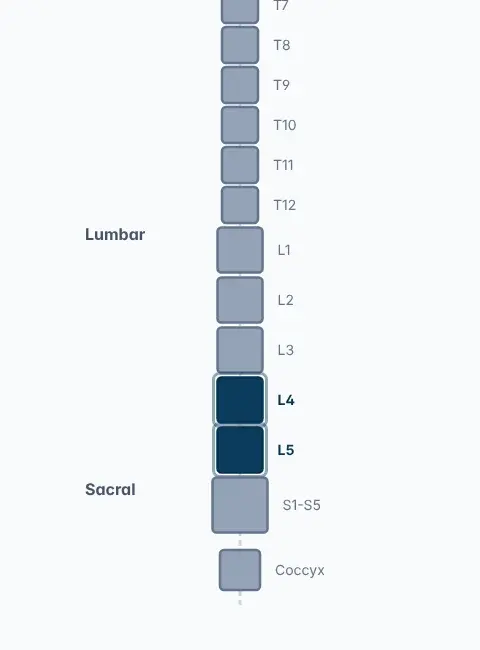
L4–L5, not just “a disc”
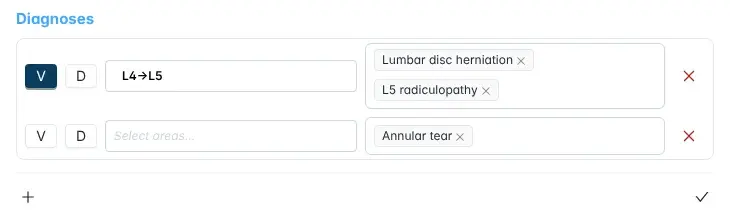
Pick the vertebra or disc on a spine diagram from C1 to the coccyx. The diagnosis is saved at the exact level with its condition, so when the patient comes back a year later or goes to surgery, the level is right in front of you.
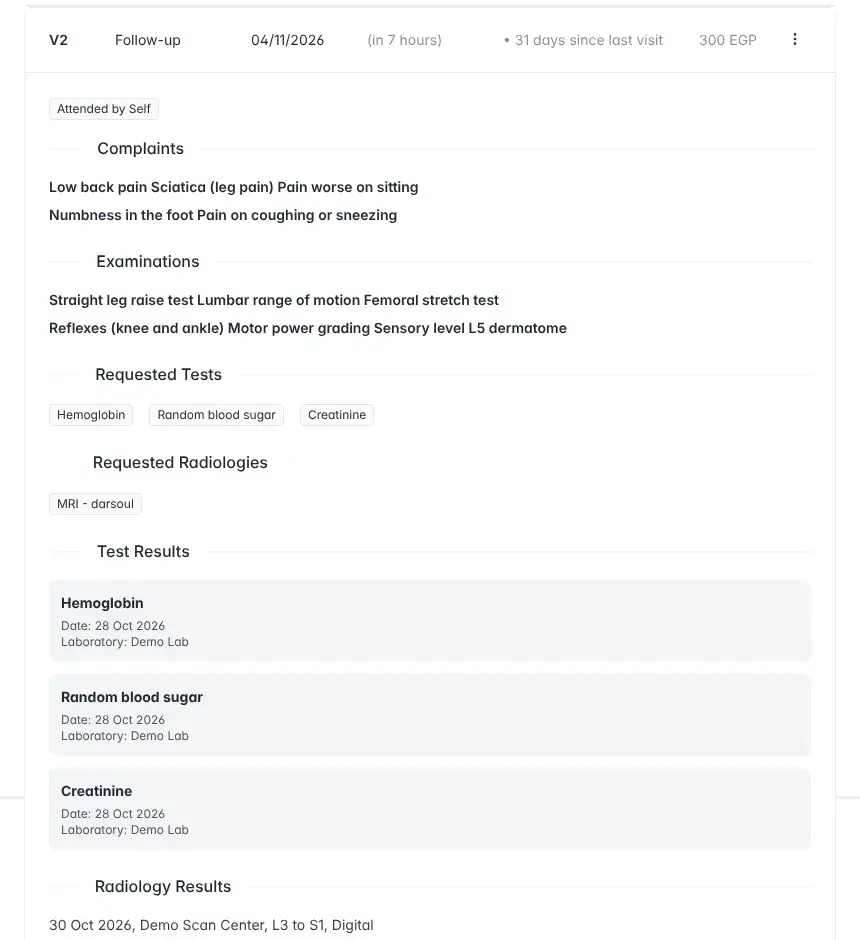
History, exam and MRI on one page
SLR, femoral stretch, reflexes, motor power, the L5 dermatome: all picked from grouped lists. Labs keep their date and laboratory, MRI keeps its cuts and centre, so comparing with the last visit takes a click, not a bag of films.
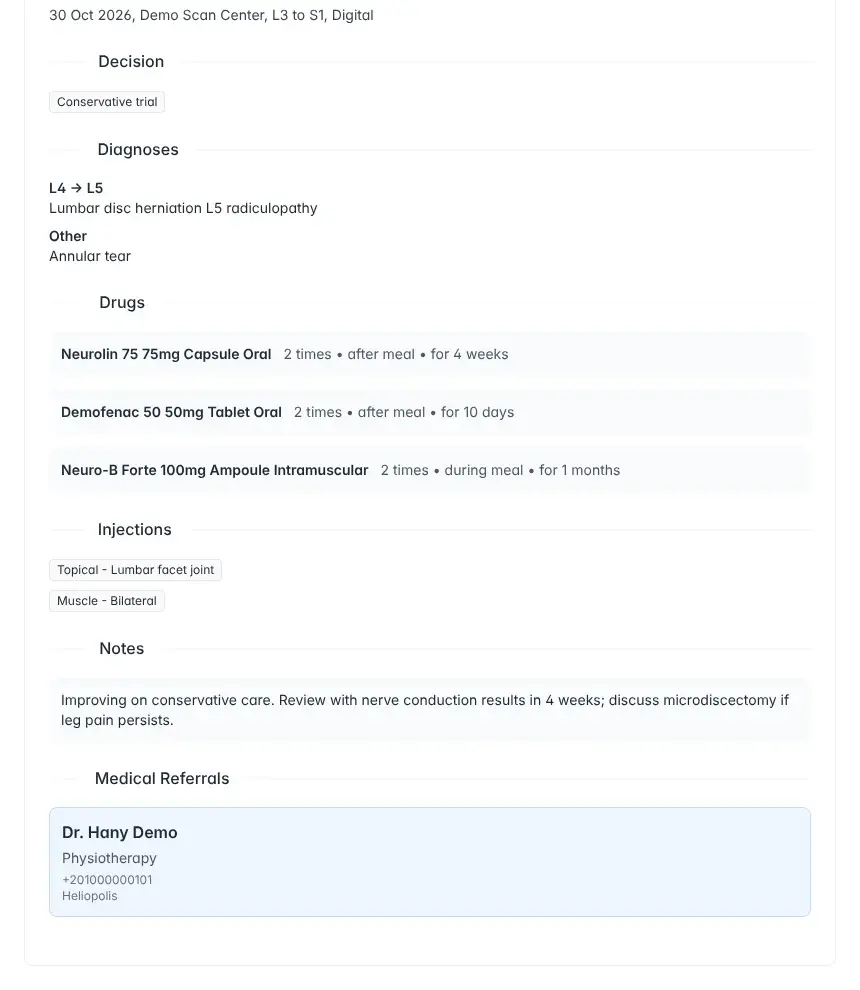
From decision to prescription to referral
Conservative, operative or a conservative trial. Then the prescription with dose and duration, injections, physiotherapy, orthotics, exercises, instructions and a referral to a colleague, all from the same screen.
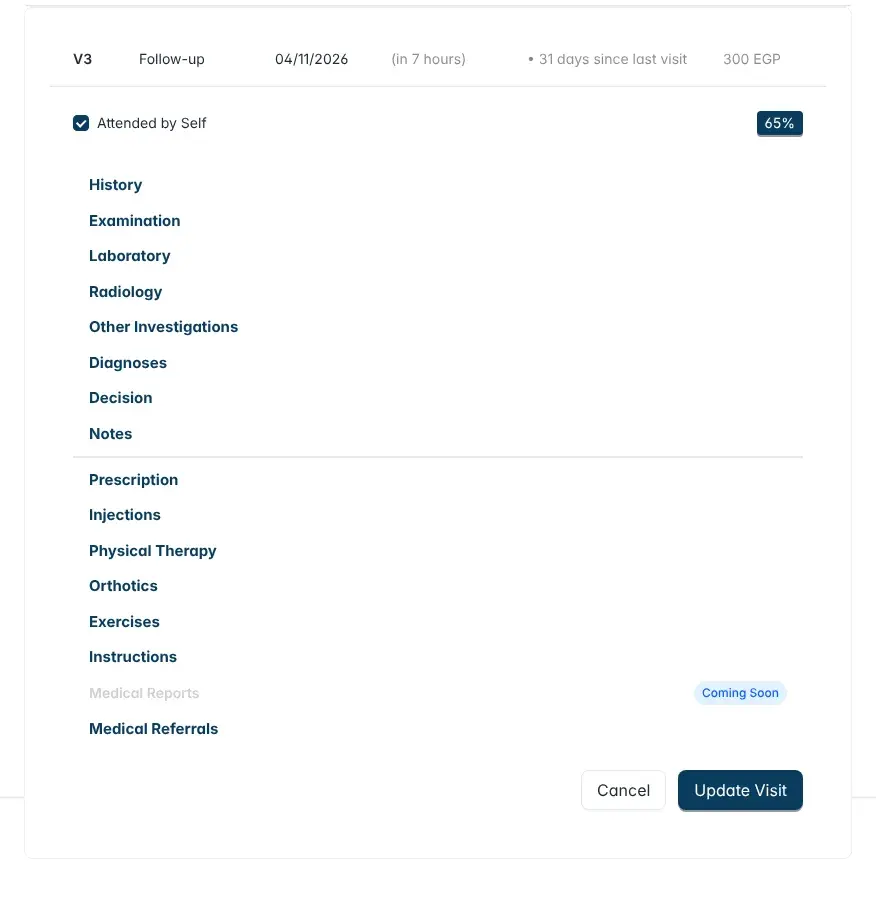
See in a second how the patient is doing
Sections with data light up, and the improvement since the last visit sits next to the days since that visit. You can tell whether conservative care is working, or whether it is time for another decision.
15+
Designed with a consultant spine surgeon
Built with a spine surgeon who lived the same problems.
Behind Spine Tech is a spine surgeon with more than 15 years in the clinic and the operating room. He set the order of the visit and decided what must be recorded and what is noise. A technical team built it around real problems from real clinics, not from a software catalog.
The visit follows the doctor's order
History, exam, imaging, level, decision, treatment, follow-up. The order you work in, not an order a programmer chose.
Select, don't type
Your time with the patient is worth more than typing. Every field has a list your clinic sets up once.
Every diagnosis has a level
So the operation record and the follow-up stay on the level that was diagnosed.
Follow-up in numbers
An improvement rate and the days since the last visit, so the surgery decision rests on something clear.
Why choose Spine Tech?
Because a spine clinic is not just any clinic.
Paper gets lost, and general systems are built for every specialty, so they miss yours. Here is the difference in everything you do in a day:
| In your clinic | Paper & notebook | General clinic system | Spine Tech |
|---|---|---|---|
| The visit | A blank sheet and handwriting | One complaint box and one diagnosis box for every specialty | 16 steps in the order of a spine consultation |
| Examination | Whatever you remember to write | A notes field | SLR, reflexes, motor power and dermatomes from ready lists |
| Diagnosis | “Lumbar disc” with no level | Free text or a generic code | On the exact vertebra or disc, such as L4–L5 |
| Prescription | Written from scratch every time | Generic drug templates | Drug, injection, exercise and physio templates for spine patients |
| The surgery decision | A feeling, without numbers | Not covered | Improvement rate, days since the last visit and a conservative-trial decision |
| Operations & instruments | The operations notebook | Usually missing | Operations, surgical instruments and stock in the same system |
| More than one clinic | A notebook in every clinic | Each branch on its own | Every clinic from one menu in the header |
| Who designed it | — | A software company serving every specialty | A spine surgeon with 15+ years of experience, with a technical team |
Select more. Retype less.
Your time with the patient is not for typing.
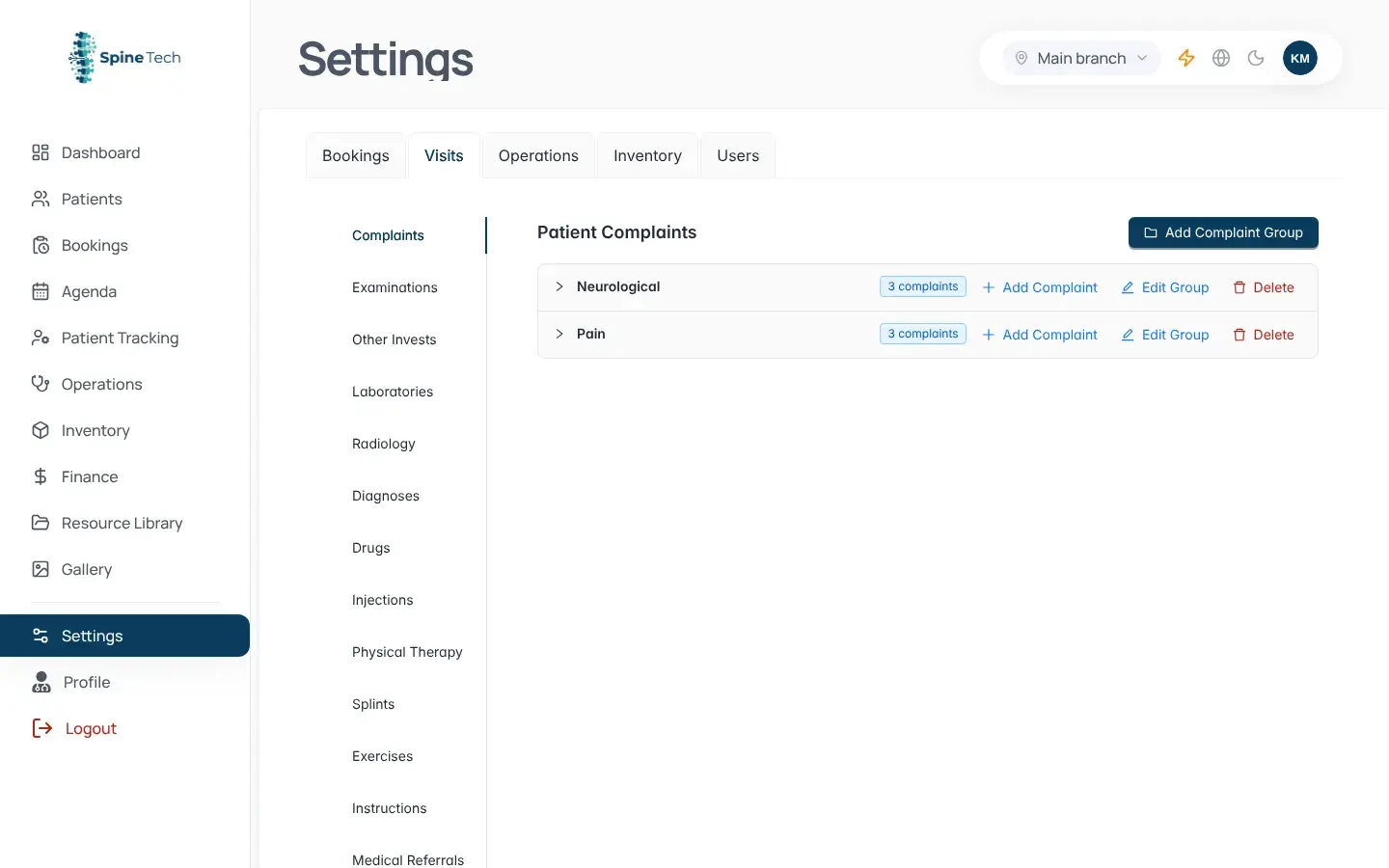
Your clinic's lists (complaints, examinations, diagnoses, drugs, injections, exercises and instructions) are set up once in settings, and after that the whole visit is selection. The third disc patient today? A prescription template adds the regimen in one click, ready to print.
- Prescription templates and direct printing
- Diagnosis on a vertebra (V) or a disc (D)
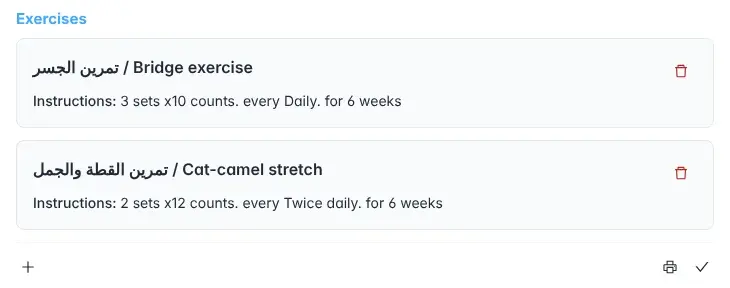
- Home exercises with sets and repetitions
Beyond the consulting room
From the surgery decision to the operating room, with nothing dropped.
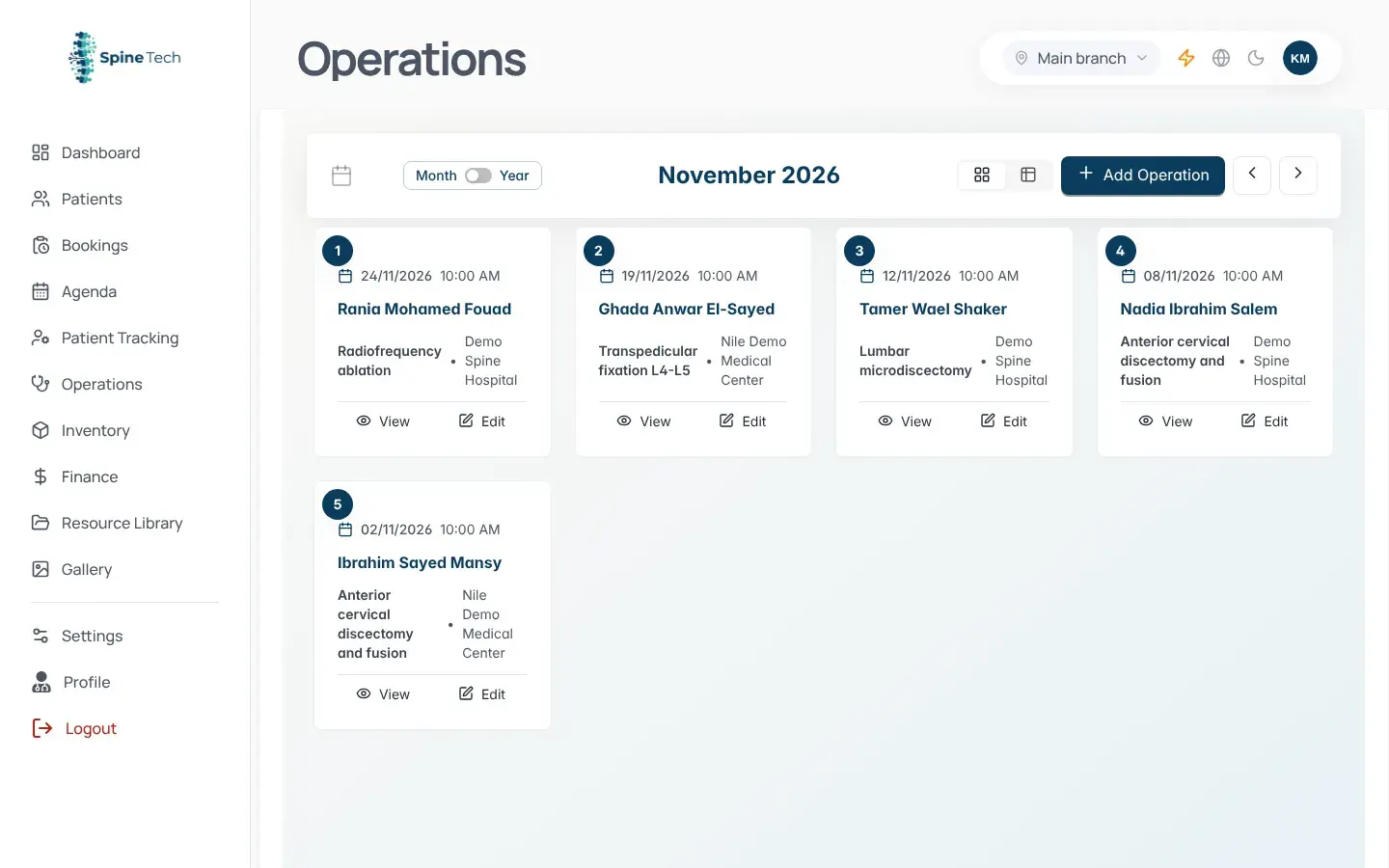
Operations
Each operation is linked to the patient and diagnosis, with team, date and clinic. No more “what did we do for him last year?”
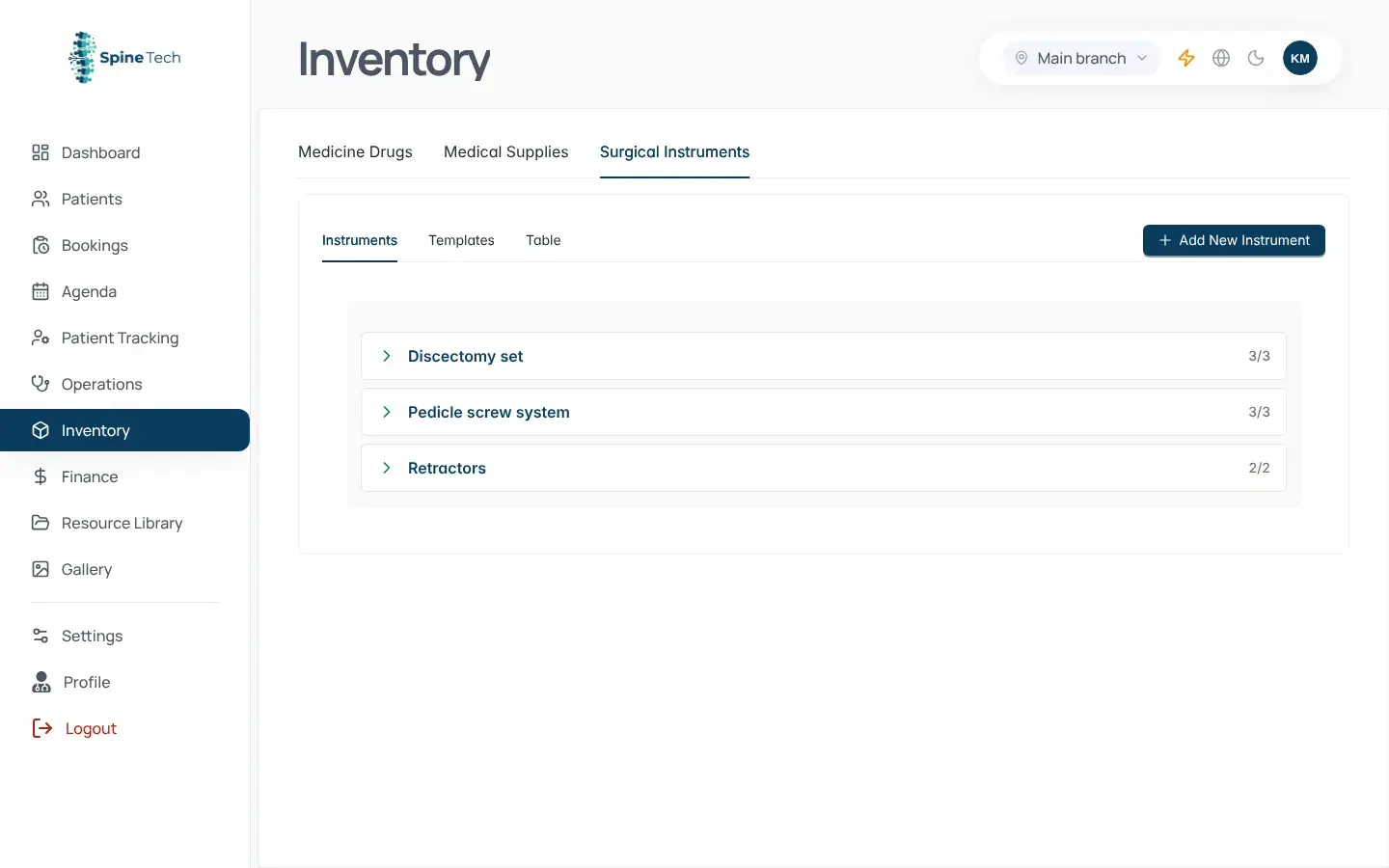
Surgical instruments
Know the set is complete, and which clinic has it, before the day of surgery, not that morning.
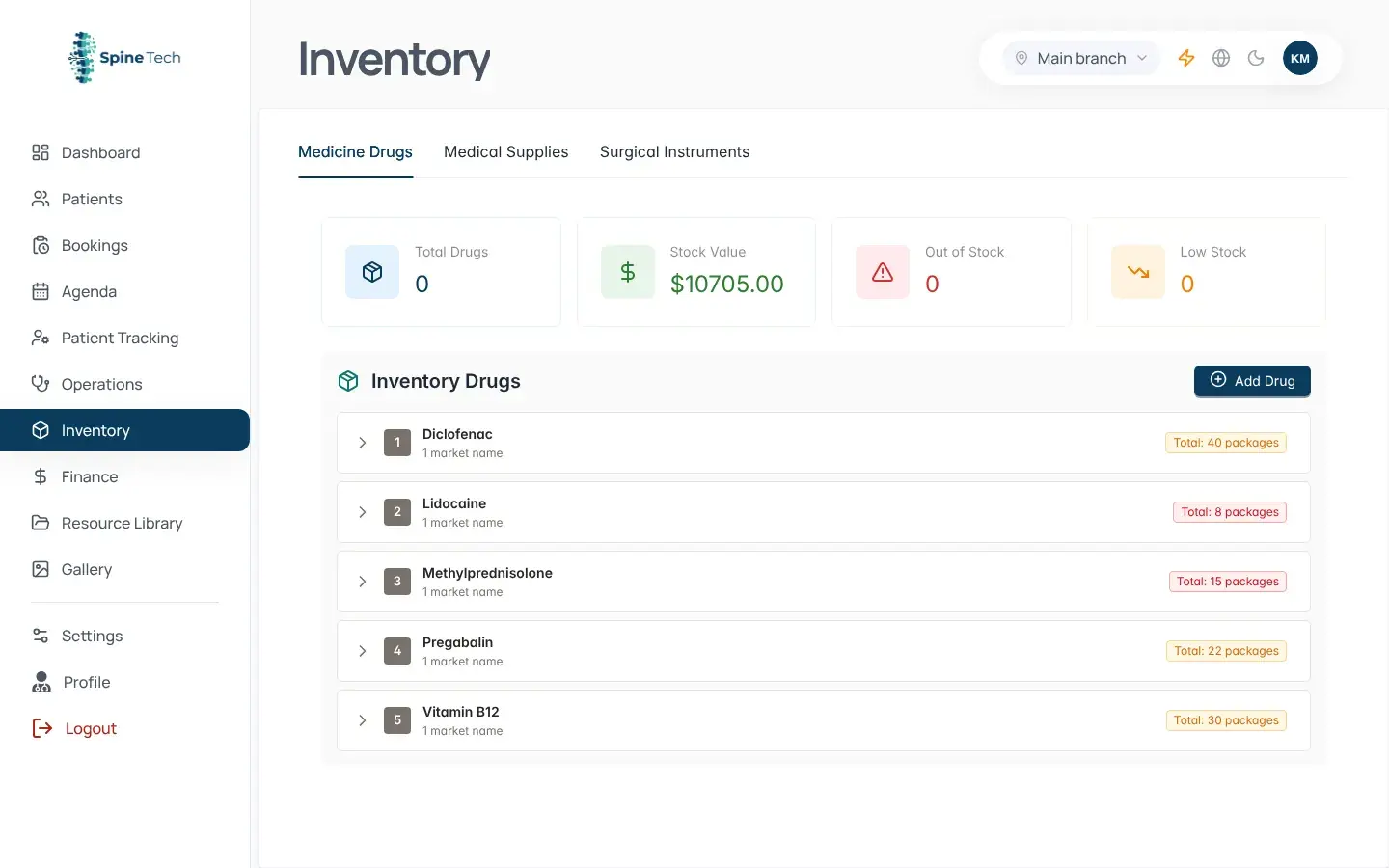
Drug stock
Stock per clinic, under the same drug names the prescription uses.
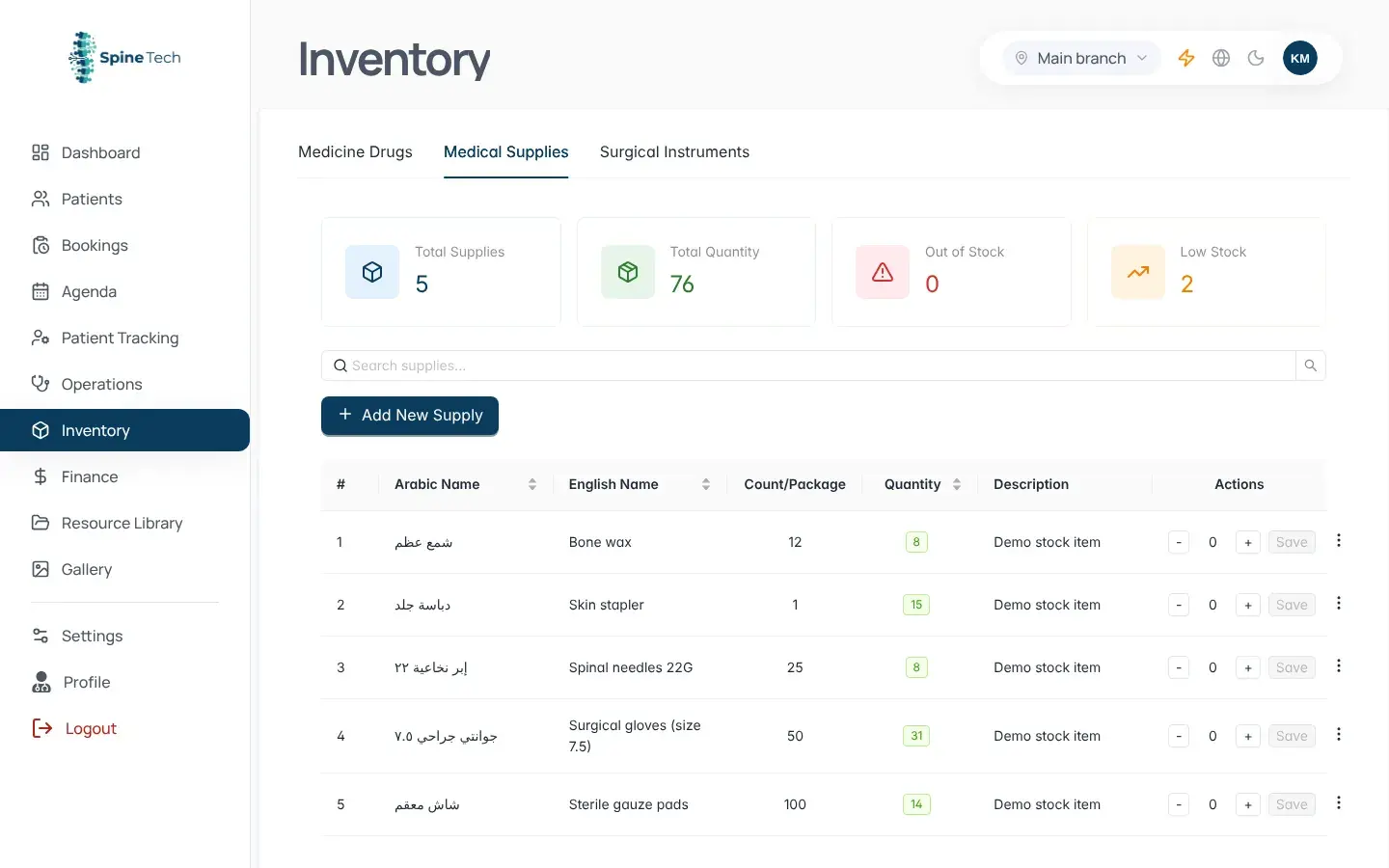
Medical supplies
Consumables by quantity and clinic, instead of a notebook and a WhatsApp group.
Working in more than one clinic?
All your clinics in one menu.
Many spine doctors work in more than one place. Pick the main clinic, the Dokki clinic or all of them at once: the agenda, bookings, stock and operations follow your choice. You see the whole picture, and the reception at each clinic sees only its own work.
And everything your reception needs every day
Daily agenda
Today's queue in order, with status, fee and a one-click visit start.
Bookings & quick booking
Reception books a new or follow-up patient in seconds.
Patient record
Each patient's details, visits and bookings in one place.
Resource library
Ready instructions and files to hand patients instead of explaining every time.
Gallery
Case photos and imaging, organised by patient.
Users & roles
An account for each team member, each seeing what concerns them.
- Dashboard & finance reports
- Patient tracking
- Printed medical reports
Frequently asked questions
What to know before you see Spine Tech in action.
Straight answers to the questions spine doctors and clinic teams ask most before booking a demonstration.
Is Spine Tech suitable for every medical specialty?
Spine Tech is purpose-built for spine clinics and spine surgery rather than being a generic clinic system. Its visit workflow, vertebra- and disc-level diagnosis, operations, and stock tools follow the way spine specialists work.
How is Spine Tech different from a general clinic system?
Instead of only a complaint box and a diagnosis box, Spine Tech organizes the visit into 16 connected steps, links diagnoses to a vertebra or disc, and brings visits, operations, stock, and every clinic into one workflow.
What does the specialized spine visit include?
The visit moves from history, examination, imaging, and laboratory results to spine-level selection, diagnosis, clinical decision, treatment, prescriptions, injections, physiotherapy, exercises, instructions, and follow-up.
Can I customize visit lists and prescriptions?
Yes. You can configure your clinic's complaints, examinations, diagnoses, medications, injections, exercises, and instructions, then create prescription templates that add treatment and print in a click.
Can I manage multiple clinics and team members?
You can work in one clinic or view all clinics together. Each team member has an account and role-based visibility, so the doctor sees the complete picture while reception teams see the work relevant to their clinic.
Does the system manage operations and inventory?
Each operation is linked to the patient, diagnosis, team, date, and clinic. Drugs, medical supplies, and surgical instruments can also be tracked by quantity and clinic.
How can I see Spine Tech before deciding?
Book a live 30-minute demonstration. We will walk through a complete spine visit from complaint to prescription and answer questions from you and your clinic team. You can start directly through WhatsApp.
Let us show you a full spine visit on the system.
A live 30-minute demo: we walk through a disc patient's visit from complaint to prescription, and answer your questions and your reception's.
Start a WhatsApp chat